
Invoices
See how to issue invoice
Find the customer you wish to invoice and click the green button.
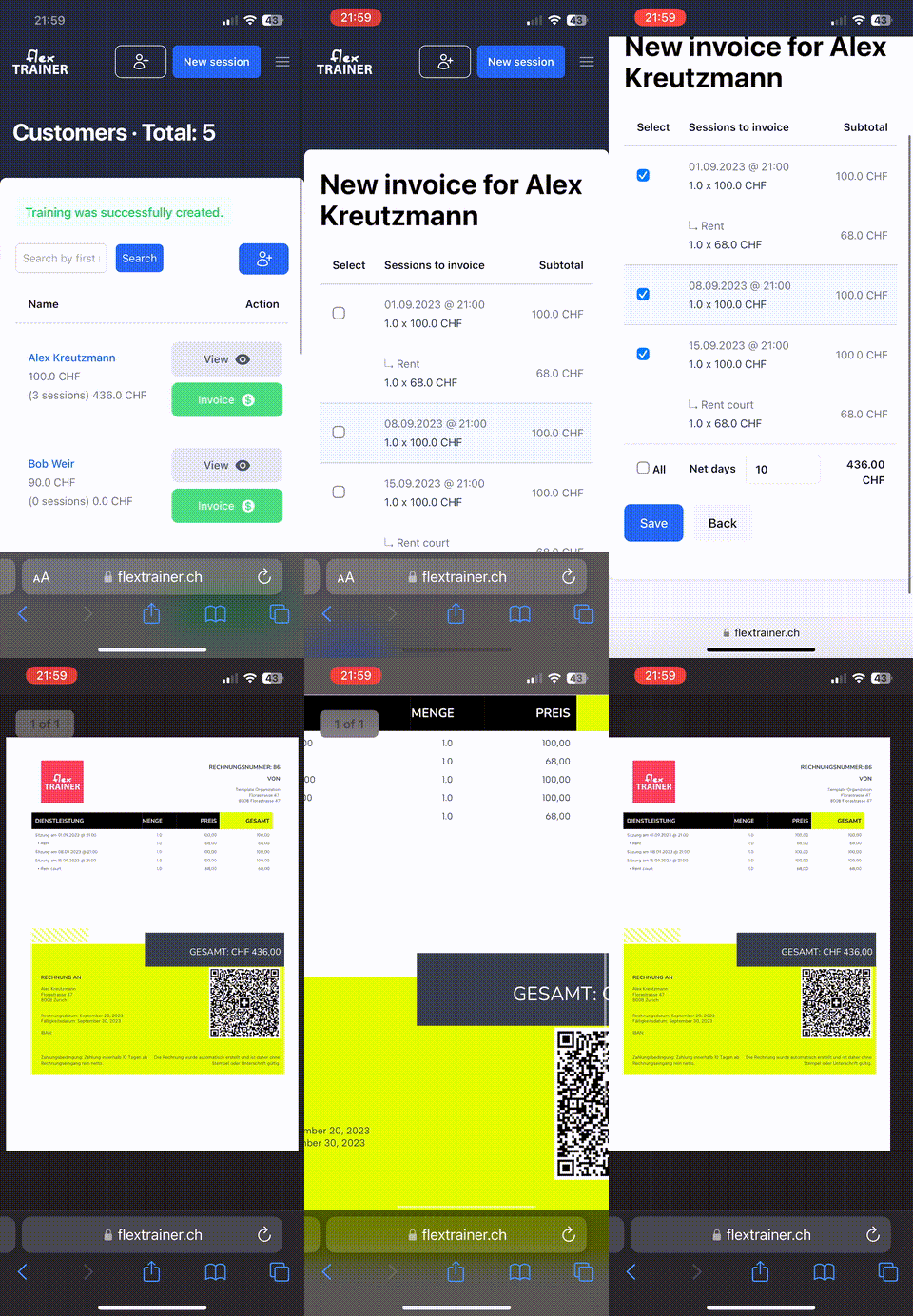
- Select dates you wish or all. With one click, you can select all sessions and additional cost with it.
- Hit "Save". And watch the PDF invoice generate on your phone.
- Swiss QR code. All invoices have Swiss QR, making it easy for customers to pay.
Now, let's see how to filter invoices: