
Customers
How to create a new customer?
At the very top of your application, in the right corner, you will find a user and a plus icon. This is your shortcut to creating a new customer.
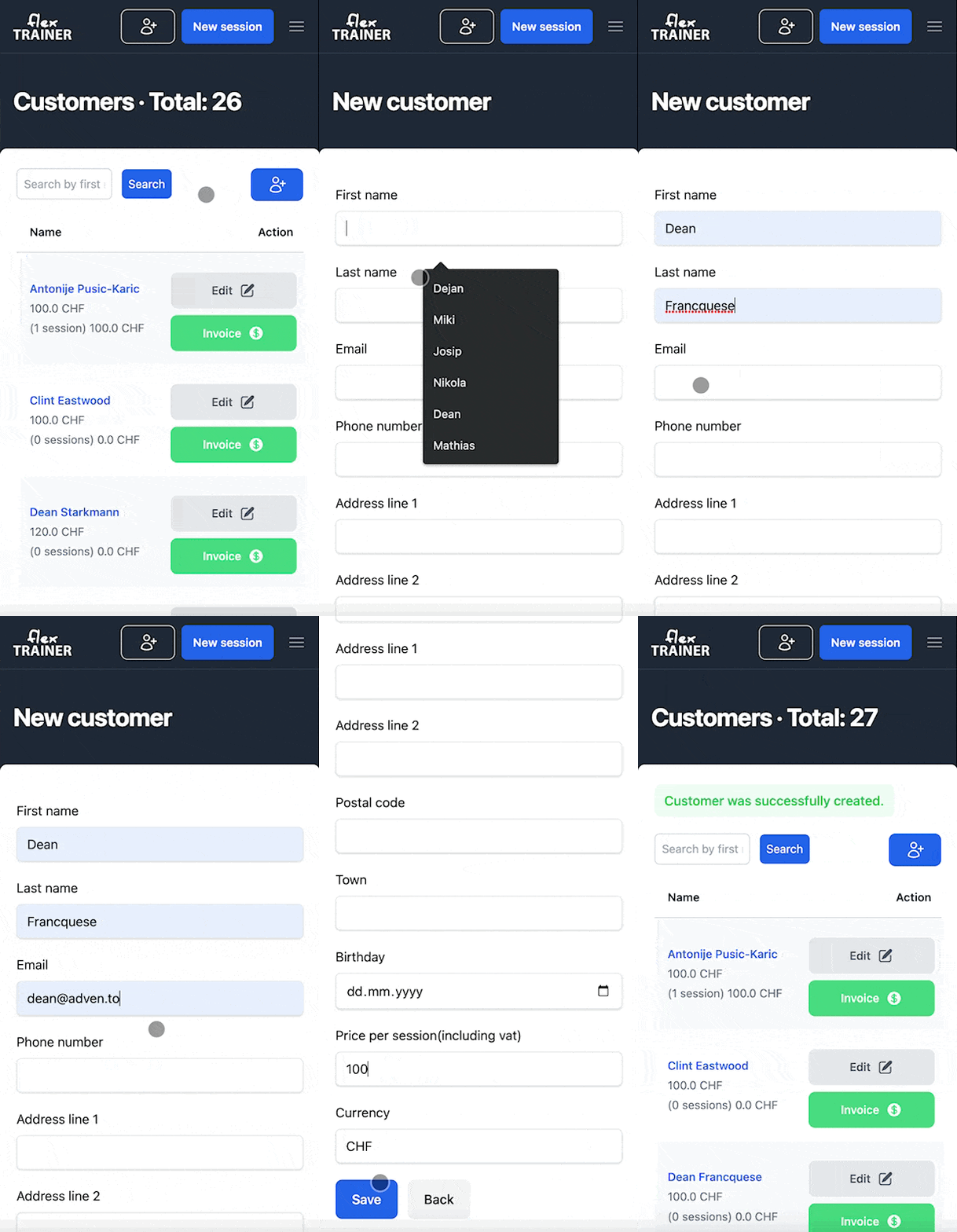
- Only enter first and last name. It is not needed to enter email or phone number, but would be a good idea so our system can automatically remind customers of overdue invoices.
- Price per session. Enter default price for this customer so it is prefilled on tracking a session. Don't worry. You can always change it later.
- User created. It is as simple as it gets.
Now, let's check the customer profile: